The right technology for each area.
A vehicle on the haul road, a person underground, a pump in a workshop: each is best tracked a different way. MeshTrack is not tied to one radio or one maker. Wirepas mesh, Bluetooth gateways, GPS/LTE trackers, phones and connected sensors can be mixed on one site, and every reading feeds the same live map, alerts, reports and replay.
How a position is worked out
Three ways to find something, plus the phone in your pocket.
Either the tag hears fixed anchors, a gateway hears the tag, or the tracker fixes its own position. Phones can do the same through the mobile app.
Tag hears anchors
Wirepas mesh
- Tag
- Anchors
- Gateway
- MeshTrack
The tag hears battery anchors around it and reports hop by hop, through the mesh, to a gateway.
Gateway hears tag
Bluetooth gateways
- Tag
- Gateway
- MeshTrack
A gateway hears the tag's Bluetooth signal. The position is the nearest gateway: a room or a zone.
Tracker fixes itself
GPS / LTE trackers
- Satellites
- Tracker
- LTE
- MeshTrack
The tracker fixes its own position from satellites and sends it over the cellular network.
Phone reports itself
Phones
- Phone
- Mobile app
- MeshTrack
“Track this phone” in the MeshTrack mobile app reports the phone's position: GPS outdoors, beacons indoors.
Side by side
Which technology fits where.
Start from the question you need answered, then choose the technology, then the device.
| Property | Wirepas mesh | Bluetooth gateways | GPS / LTE trackers | Phones |
|---|---|---|---|---|
| Where it fits | People and equipment where GPS doesn't reach: underground, inside buildings, on plants. | Rooms, zones and corridors, where a network already runs along the route. | Vehicles, surface fleets, and people or assets outdoors. | Supervisors, porters, visitors and staff who already carry a phone. |
| How the position is resolved | From the anchors the tag hears. It must hear at least 3 and be inside them. | Nearest gateway that hears the tag. | On the tracker, from GNSS satellites. | On the phone: GPS outdoors, nearby beacons indoors. |
| Typical accuracy | About 5 m with anchors 10–15 m apart; room level at 10–12 m; presence only at 25 m. | Room or zone level. | A few metres under open sky; worse near pit walls and buildings. | GPS accuracy outdoors; room or zone level indoors. |
| What goes on site | Battery anchors, no cabling. At least one gateway per level, two recommended. | Gateways with network and power, about 40 m apart in tunnels, further on open ground. | Nothing. A tracker and a SIM. | Nothing outdoors; beacons indoors. iPhone and Android. |
| Power and battery | Anchors 5+ years, depending on the battery. Gateways on PoE or 12–24 V DC. | Coin-cell tags: about 1–3 months at 100 ms advertising, 2–3 years at 900 ms. | Vehicle power for vehicle trackers; battery for personal and asset trackers. | The phone's own battery. |
| Indoors | Yes | Yes | No | With beacons |
| Underground | Yes | Where there is network along the route | No | With beacons |
| Outdoors | With surface anchors | Within reach of a gateway | Yes | Yes |
Wirepas mesh in depth
Positions where GPS can't reach.
Battery anchors form a self-healing mesh. Tags hear the anchors around them, and their reports hop through the mesh to a gateway. How you space and power the anchors decides the accuracy and the delay.
Spacing sets accuracy
Anchors 10–15 m apart give about 5 m. 10–12 m gives room level. 25 m is the mesh maximum and gives presence only, not a position.
Three anchors, and inside them
A tag needs to hear at least 3 anchors and sit inside the shape they form. Each level has its own anchors: coverage does not pass through a slab or rock.
Gateways
At least one per level, two recommended, each covering up to 30,000 m². Gateways connect outbound only.
Delay is a design choice
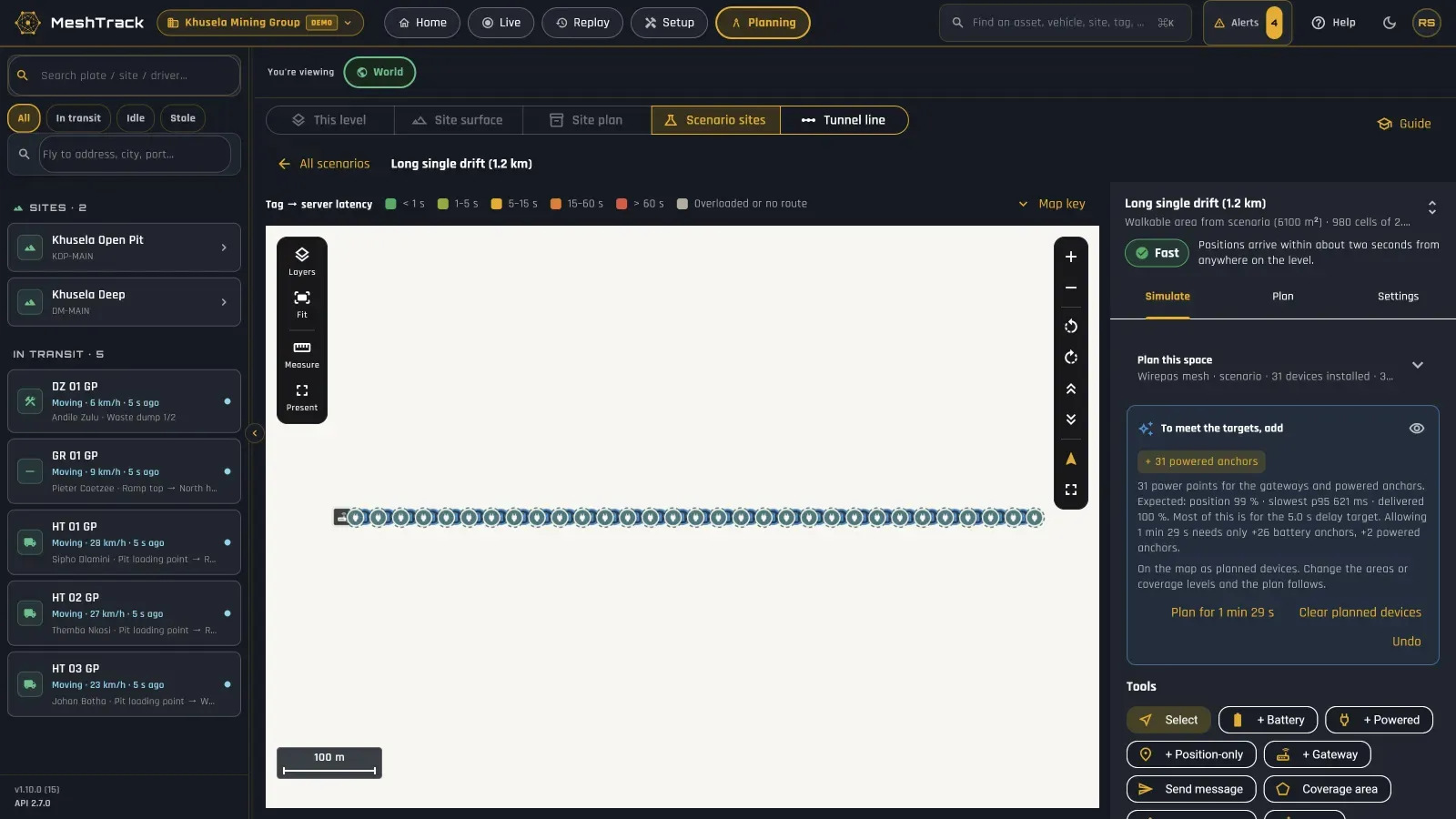
About 1.3 s per battery-anchor hop and about 3 ms per powered anchor. A “Fast” design delivers a position in about 2 s.
Self-healing
The mesh routes around a failed or blocked anchor, and battery anchors keep it running through a power trip.
Battery anchors
Anchors last 5+ years, depending on the battery. No power or data cabling in the work area.
Outdoors too
Surface anchors extend the mesh to yards, stockpiles and pit edges, on the same map as underground levels.
Fewer powered points
On a 2.9 km underground route: 13 powered points with Wirepas, against 79 with Bluetooth gateways.
Bluetooth gateways
Which room, which zone.
When the question is which room or zone, not which metre, Bluetooth gateways are often the simplest answer, especially where a network already runs along the route.
Nearest gateway
The position is the gateway that hears the tag best: the right answer for “which room” or “which zone”.
Spacing
About 40 m apart in tunnels, more on open ground. Each gateway needs network and power.
Battery against interval
A coin-cell tag lasts about 1–3 months advertising every 100 ms, and 2–3 years at 900 ms. Choose the interval from how quickly you need to know.
Where it suits
Indoors, or underground where a network already runs along the route.
GPS / LTE trackers
Vehicles, people and assets outdoors.
GPS trackers fix their own position and report over LTE. Vehicles are first-class on MeshTrack: on the same map, alerts and reports as people and equipment.
No site hardware
A tracker and a SIM. Nothing to install on site.
Vehicles
Position, speed, ignition, trips and driver, with CAN data on supported models.
People outdoors
Personal trackers with an SOS button, for lone and remote work.
Assets
Long-life battery trackers for trailers, containers and plant that move rarely.
Store and forward
Out of coverage, the tracker stores its readings and sends them when it reconnects.
Any Teltonika GPS tracker works
Bring your own SIMs. Send us the model and we'll confirm the set-up.
Sensors and other networks
Conditions as well as positions.
Tags carry their own sensors, and other sensors connect through Sethala Nexus, the IoT platform MeshTrack is built on.
Sensor tags
Temperature, humidity, movement, tamper and battery from the tags themselves: Teltonika EYE Sensor Mesh, Minew S1 and BeaconPlus, MOKO MK Sensor.
Sethala Nexus sensors
Other sensors connect over LoRaWAN, Sigfox, Wi-Fi, LTE and IDLINK. Each model has its own decoder, and its readings appear on dashboards, in alerts and through the API.
Gas and air quality
Gas sensors give visibility, not protection. Certified gas detectors and the site's own gas-monitoring system remain the protection.
RFID and NFC
Tag types alongside Bluetooth and Wirepas. RFID, for example Zebra, is scoped per project.
Wi-Fi
Wi-Fi carries gateway backhaul and sensor data. MeshTrack does not use Wi-Fi for positioning.
Hardware families
Devices from the makers you already know.
Devices MeshTrack works with, by maker. Others can be added: send us the model, its firmware and its data sheet.
Teltonika
-
EYE Sensor Mesh
Tag · Wirepas · Accelerometer, temperature, humidity. No button.
IP67 -
Indoor anchors and gateways
Anchor, gateway · Wirepas · For offices and hospitals.
IP40 -
FMB920, FMC130
Vehicle tracker · GPS / LTE · Speed, ignition; CAN data on supported models.
-
TMT250, GH5200
Personal tracker · GPS / LTE
Panic button -
ATC700, ATC704
People and asset tracker · GPS / LTE · ATC704 adds Bluetooth.
-
ATC774
Asset tracker · GPS / LTE · Long-life battery.
BlueUp
-
Brick
Anchor · Wirepas · Battery, replaceable.
IP67 -
BlueBeacon Ultra
Tag · Wirepas
-
Card BUT
Card tag · Wirepas · Button and LED.
Panic button -
TinyGateway PoE Outdoor
Gateway · Wirepas · Ethernet and PoE.
IP65
Minew
-
G1
Gateway · Bluetooth · Ethernet, PoE, MQTT over TLS.
-
MBT02, BeaconPlus
Tag · Bluetooth
-
S1
Sensor tag · Bluetooth
-
MWC01
Badge · Bluetooth · SOS button.
Panic button
MOKO
-
MKGW1
Gateway · Bluetooth
-
BXP-D
Tag · Bluetooth
-
MK Button
Button tag · Bluetooth
Panic button -
MK Sensor
Sensor tag · Bluetooth
Extronics
-
iTAG XB20, XB10
Badge, tag · Wirepas or Bluetooth · Group I, EPL Ma.
Panic button -
iTAG XB40
Anchor · Wirepas or Bluetooth · Group I, EPL Ma.
Deeprock
-
Cap-lamp tag
Tag · Wirepas
-
Anchors and gateways
Anchor, gateway · Wirepas · Mining-oriented range.
Panic buttons are on specific tags only, marked above. One press raises a High alert and two presses a Critical one, to the people named on the rule. Teltonika's mesh tags have no button. A panic button supports your emergency procedure; it is not a certified emergency or rescue system.
Hazardous areas
Certified where the atmosphere demands it.
Most commercial tags and anchors are not certified for explosive atmospheres. Where they must be, MeshTrack works with certified devices.
Group I, EPL Ma
For underground mines where methane or coal dust can occur: the Extronics iTAG XB range, marked I M1 Ex ia I Ma, in Wirepas and Bluetooth versions.
Gateways
Gateways are mains or PoE powered, so they go in non-hazardous areas or inside certified flameproof (Ex d) enclosures.
Group II
Surface hazardous areas need Group II devices. Available on request, matched to the zone.
The site decides
Your hazardous-location classification decides which equipment goes where. We confirm the certificate for each exact model before you order.
Mixing technologies
Several technologies, one map.
Geofences work outdoors, zones work on levels, and a person or vehicle is handed over at doors, portals and shaft collars. One site might look like this:
GPS on the haul road
Haul trucks and light vehicles on GPS/LTE trackers, inside geofences with entry, exit, dwell and speed rules.
Wirepas underground
People and equipment on mesh tags, level by level, in zones drawn on each level.
Bluetooth in the workshop
Tools and equipment by room or bay, from gateways on the workshop network.
All three show on the same live 3D map, in the same alerts, reports, dashboards and replay, from the whole operation down to a single room or mine level.
Network and IT
Nothing reaches into your network.
What your IT team needs to know before the first gateway goes up.
Outbound only
Gateways connect out on TCP 8883 and 443. Nothing inbound, no port forwarding.
Dedicated VLAN
Gateways sit on their own VLAN, routed through your firewall.
Backhaul and power
Ethernet or fibre, with PoE or 12–24 V DC. Wi-Fi backhaul only where it is dependable.
Cloud or on-site
Hosted in South Africa by ISO 27001-certified Sethala, or on your own servers.
The full requirements are in the Site Readiness guide, and the security model is on the Security page.
Have devices already?
Send us the model and firmware.
Tell us which tags, gateways or trackers you have and what firmware they run. We'll tell you how they fit, and design the rest of the site around them.